
How long will you keep your contracts on someone else's platform?
Upload a PDF and send one link. The other party signs on their phone, with no account and nothing to install.
Request a trial See how it worksThe service is in trial use. We create an account for each person who applies.
Already have an account? Log in to the service ↗
The service itself, including the screens shown below, is currently in Korean.
How it works
The sender (the person sending the contract) does four things.
- 1
Upload the contract PDF
Drag the signature spots directly onto the document. You can move them any time before signing.
- 2
Sign first
Confirm you have reviewed the contents and sign. Your signature is placed on the chosen spot, and a link for the other party is created.
- 3
Send the link by KakaoTalk
The link works once and expires after the deadline. The other party confirms their name on their phone, then signs, or declines with a written reason.
- 4
Receive the signed copy and its record
See the PDF with both signatures, the signing history, and the document fingerprint used to detect tampering, all on one screen.
Actual screens
These are from a trial account. The documents and names are test data, and the other party's name is masked. The interface is in Korean. Select an image to enlarge it.
-
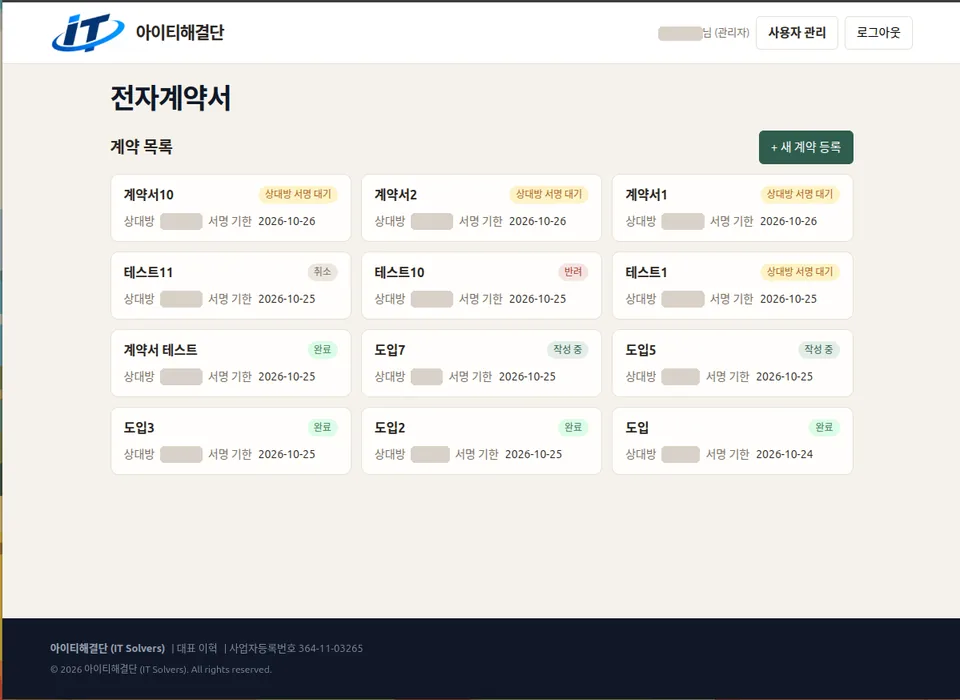
Contract list (sender)See at a glance how far each contract has progressed. -
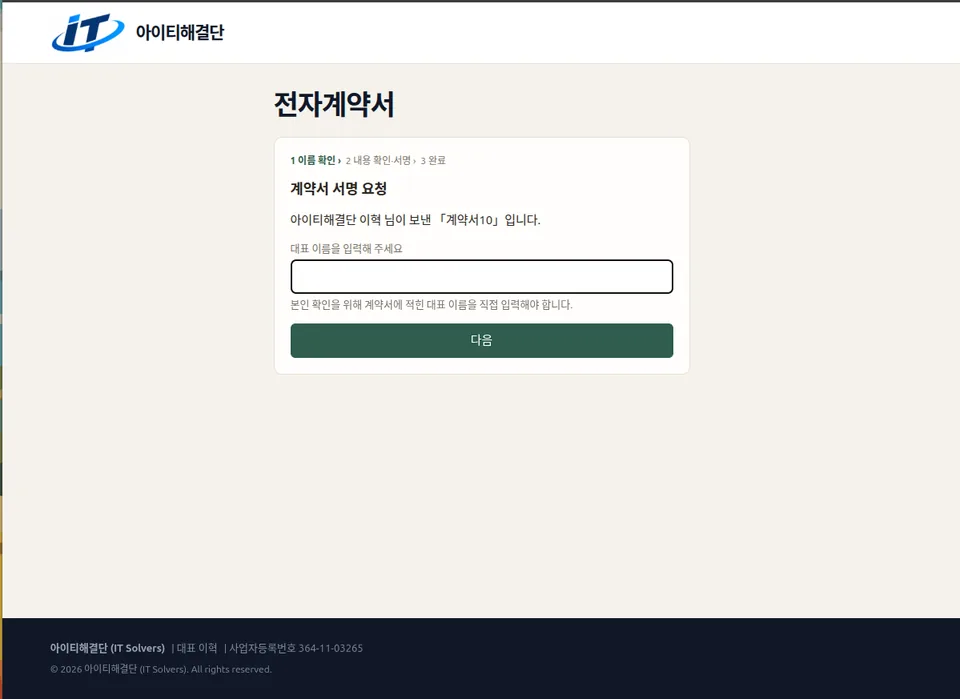
First screen for the other partyAfter opening the link, they enter the representative name on the contract to confirm their identity. -
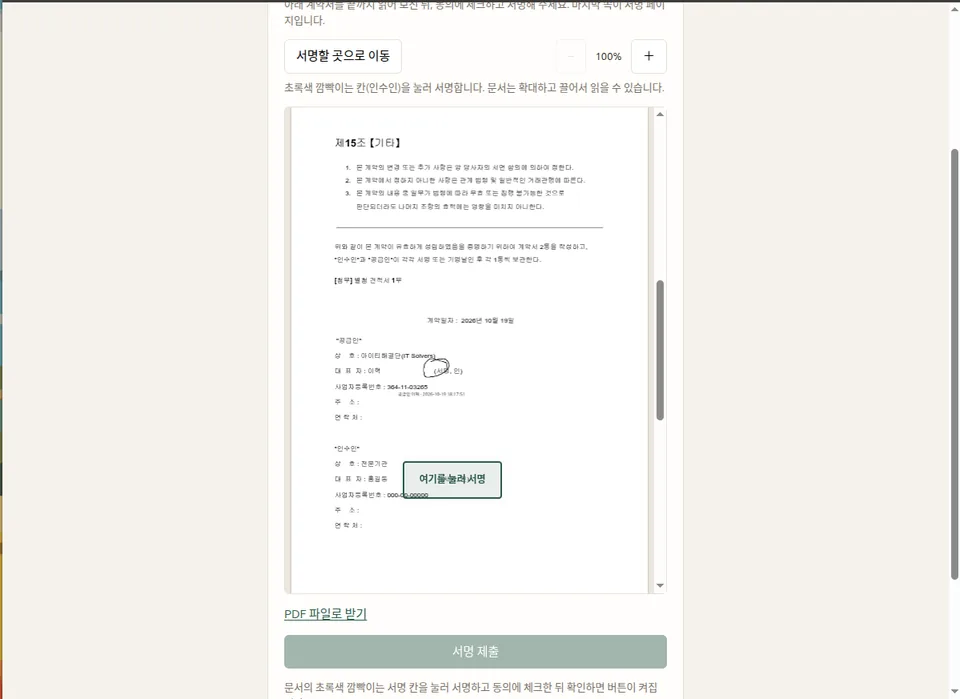
Where to signZoom in, read to the end, then start signing at the chosen spot. -
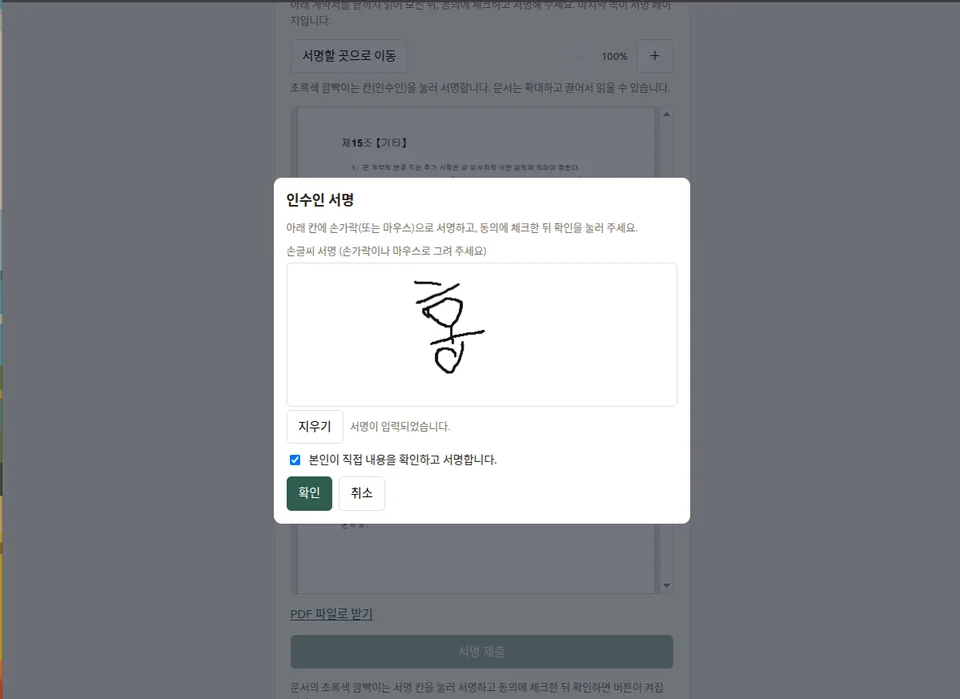
Handwritten signatureSign with a finger or mouse and tick the confirmation that you reviewed the contract. -
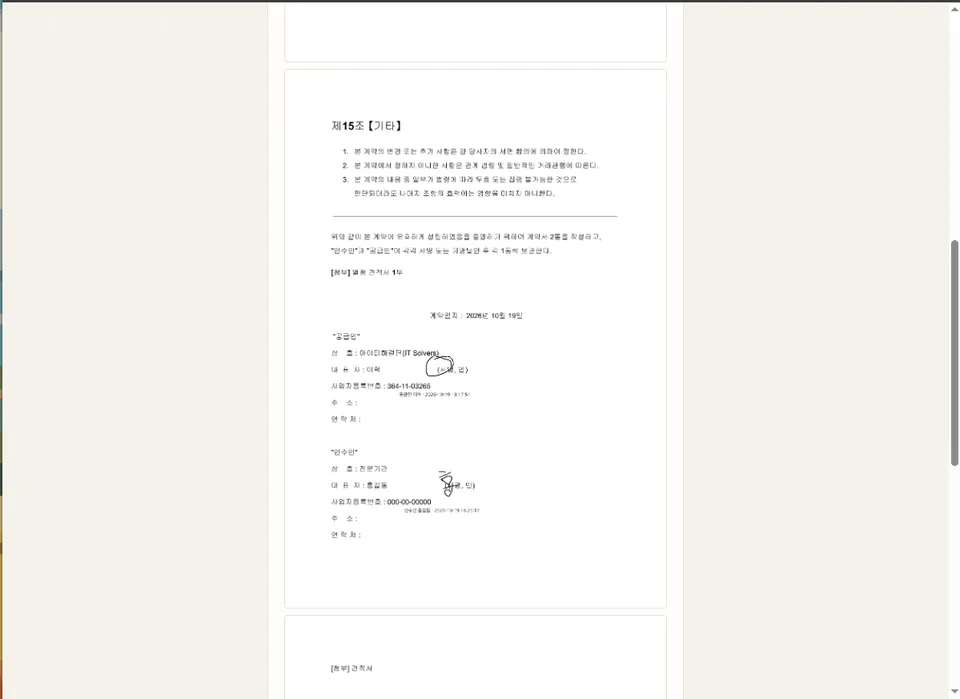
Completed copy with both signaturesA PDF carrying both signatures is produced, with the time each person signed. -
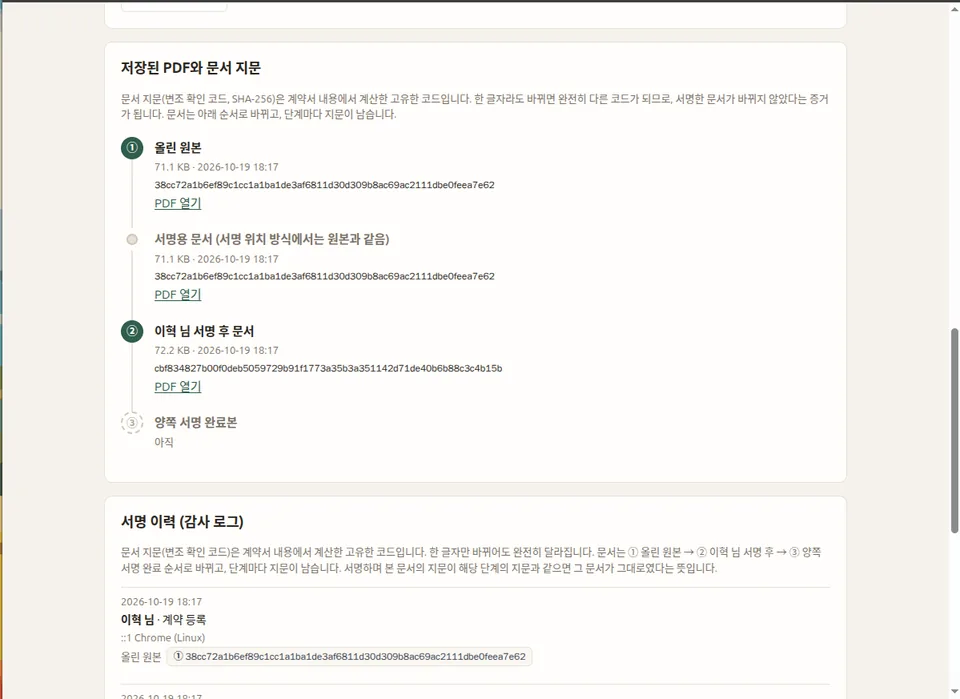
Document fingerprints and signing historyA fingerprint is recorded each time the document changes, with the signing history below.
What makes it easier
It removes the annoyances for people who don't sign many contracts.
The other party only opens a link
No app and no sign-up. They open the link they received on KakaoTalk on their phone and sign right away.
Pay only for what you use
There is no monthly subscription. Buy contracts one at a time or as a bundle.
A record is kept
The signing time, the device used and the document fingerprint are kept as signing history, so you can later check that the document was not altered.
Refusals are recorded too
If the other party declines, their reason is saved and the sender can see it on the contract detail screen.
Who it is for
Built for people who don't want to leave their contracts with someone else's platform.
- People who don't want their contracts on another company's service
- People who want to install it on their own server
- People tired of paying monthly subscription fees
- Freelancers and businesses of 1–5 people
Good to know
The service is in trial use, so some parts are still being prepared.
- Identity verification currently relies on a name check before signing and a single-use link. SMS verification codes are being prepared.
- Legal effect has not yet been reviewed by a legal professional. Please confirm before using it for an important contract.
- Only PDF files can be uploaded for now. Save Word or Hangul files as PDF first.
- During the trial, we recommend trying it first with test documents.
- The service is designed for use in Korea, and its interface is in Korean.
- This service was developed by the CEO with the help of AI (Anthropic's Claude). We test the features ourselves and keep refining them.
Pricing
There is no subscription. We are preparing two ways to use it.
Ready to use — buy contracts one at a time or as a bundle. The larger the bundle, the lower the price per contract.
Install it yourself — install it on your own server and manage it directly. Contracts stay on your server, so you can keep them permanently whether or not you keep using the subscription service.
Request a trial
Apply and we will create an account you can test with.
You can also email us directly instead of using the form
dlgurpro@itsolvers.co.kr